Eyebrow: AI SYSTEM CONNECTIONS, APIs & BUSINESS SOFTWARE INTEGRATION
AI Integration & API Development That Connects Useful AI to the Systems Your Team Already Uses
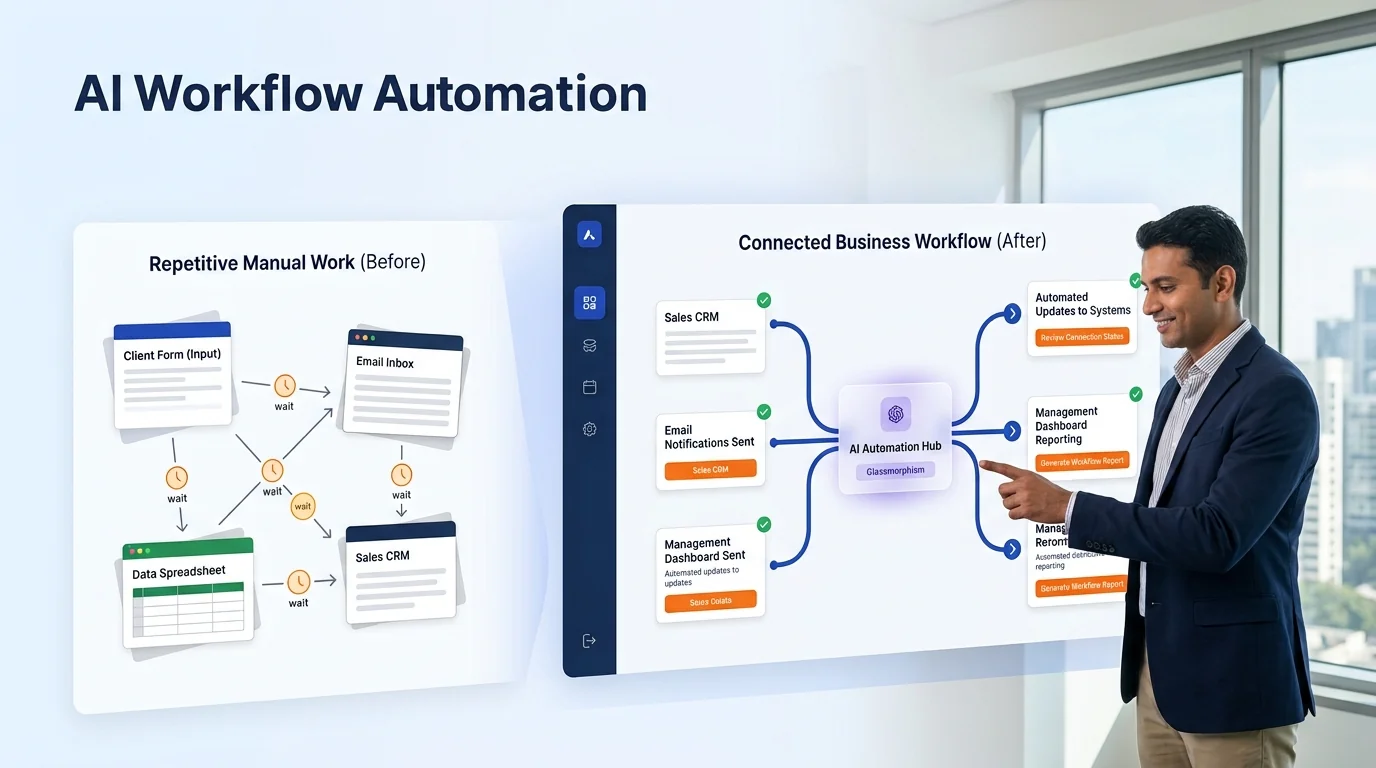
An AI tool that sits outside your website, CRM, calendar, forms, WhatsApp, support inbox and reporting process may look impressive—but it often creates more manual work. Someone still has to copy information, update records, check availability and explain what happened.
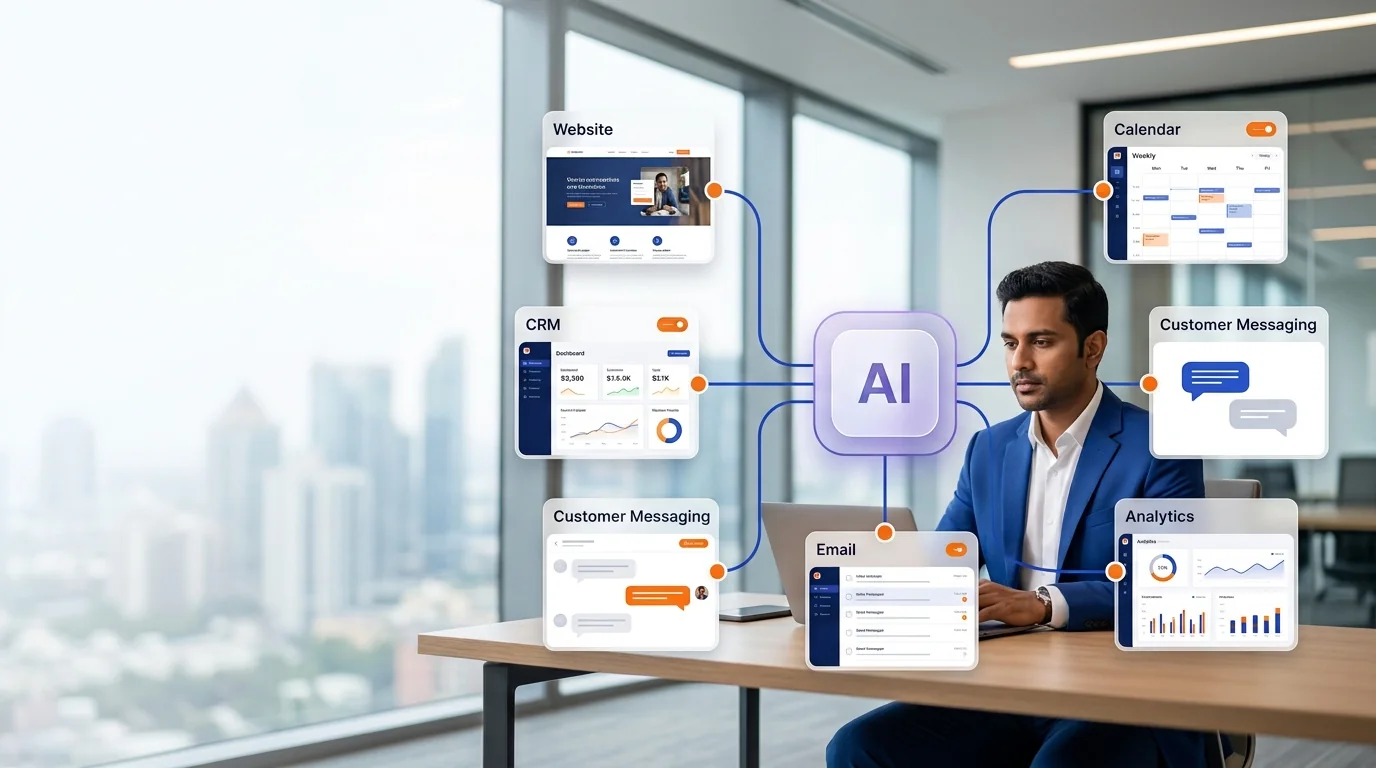
Growlixa provides AI integration and API development services that connect AI capabilities with the systems your business already relies on. We design how data moves, what actions are allowed, where approval is needed and how the final outcome is recorded in the tools your team uses every day.
The result is not another disconnected AI subscription. It is a practical system that can receive context, perform approved actions and return useful information to the right business workflow.
Primary CTA: Review Your AI Integration Needs →
Supporting line: API integration · CRM · Website · Calendars · Forms · Messaging · Data flow · Business systems
AI creates value when it can participate in the real workflow
A customer may ask a chatbot for an appointment. The business needs the assistant to check availability, create the booking, update CRM and notify the right person. A sales lead may arrive through a form; the team needs the requirement captured, owner assigned and follow-up created. A document may contain data; the operation needs the extracted fields validated and routed to the relevant system.
Without integration, the AI conversation or output ends at a screen. With integration, the result becomes a business action.
Integration should be designed carefully. A system must know what it may read, what it may write, which actions require approval and what happens when another tool is unavailable.
What is AI integration and API development?
AI integration is the process of connecting AI models, agents or automation systems with business applications and data sources. API development creates the controlled interfaces that allow systems to exchange information and trigger approved actions.
An integration may allow an AI system to:
- read approved customer or product information;
- check appointment availability;
- create a CRM lead or update a record;
- create a support ticket;
- send a confirmation through approved channels;
- retrieve order or booking status;
- process information from a form or document;
- trigger an internal workflow;
- return a dashboard summary;
- hand a request to the right team member.
A secure integration does not give an AI system unlimited access. It defines the specific data, tools, permissions, validations and human review required for the use case.
What Growlixa AI integration services include
Existing systems and architecture review
We begin by understanding the current environment. We identify the systems that hold customer, sales, booking, product, support and operational information.
We review:
- website and forms;
- CRM;
- email and messaging;
- WhatsApp Business setup;
- calendar and booking tools;
- e-commerce platforms;
- support and helpdesk tools;
- spreadsheets and databases;
- ERP or inventory tools;
- analytics and reporting;
- existing APIs, webhooks and data access;
- current manual handoffs between systems.
You receive: system map, integration opportunity review and priority architecture direction.
Use-case and action design
The first question is not “Which API should we use?” It is “What business action should become easier?”
We define:
- the trigger that starts the workflow;
- information the AI needs;
- actions it is allowed to perform;
- data that should be written back;
- customer or team notification;
- exception and approval path;
- success measure;
- system owner and maintenance responsibility.
This prevents integration projects from becoming technology experiments without a useful outcome.
API, webhook and data-flow design
We design the controlled route between systems. Depending on scope, this may involve:
- API connections;
- webhooks;
- secure form handling;
- data transformation;
- field mapping;
- authentication and permission setup;
- rate-limit and error handling;
- retry logic;
- audit logging;
- response formatting;
- event triggers;
- status updates.
The architecture should be understandable to the business and maintainable by the team or support partner after launch.
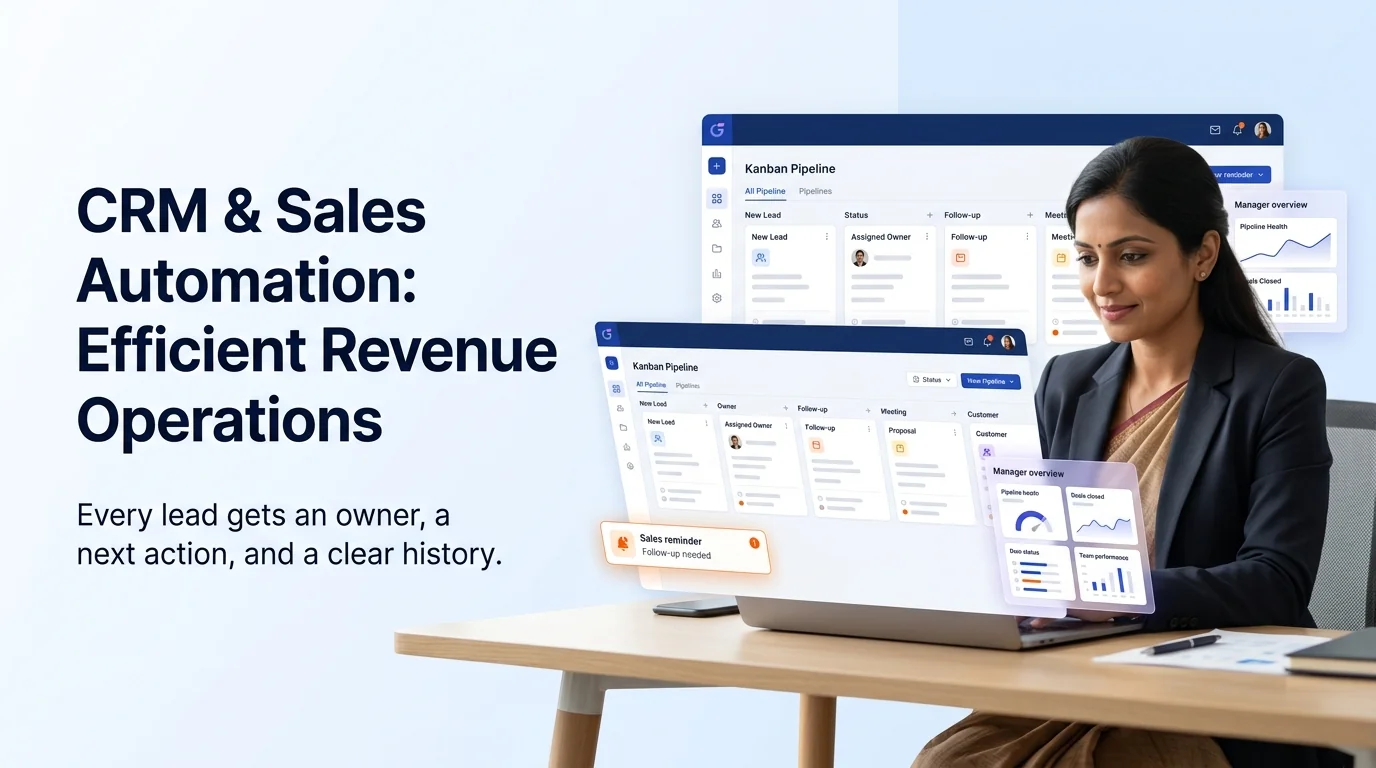
CRM, sales and customer-data integration
AI systems become more useful when they can work with approved customer context.
We can connect AI experiences to CRM workflows for:
- lead record creation;
- owner assignment;
- conversation summary;
- qualification responses;
- booking status;
- task creation;
- support context;
- campaign source;
- follow-up reminders;
- customer-history lookup where permitted.
We define which data can be read or updated, and when human review is required.
Website, chat and messaging integration
A website chatbot, WhatsApp assistant or AI calling system may need to trigger an action beyond answering a question.
Possible integrations include:
- website form submission;
- appointment calendar;
- product catalogue;
- service information;
- lead capture;
- quote request;
- helpdesk ticket;
- email notification;
- WhatsApp confirmation;
- human agent handoff;
- CRM update.
The connected experience should feel natural for the customer and should not expose implementation complexity.
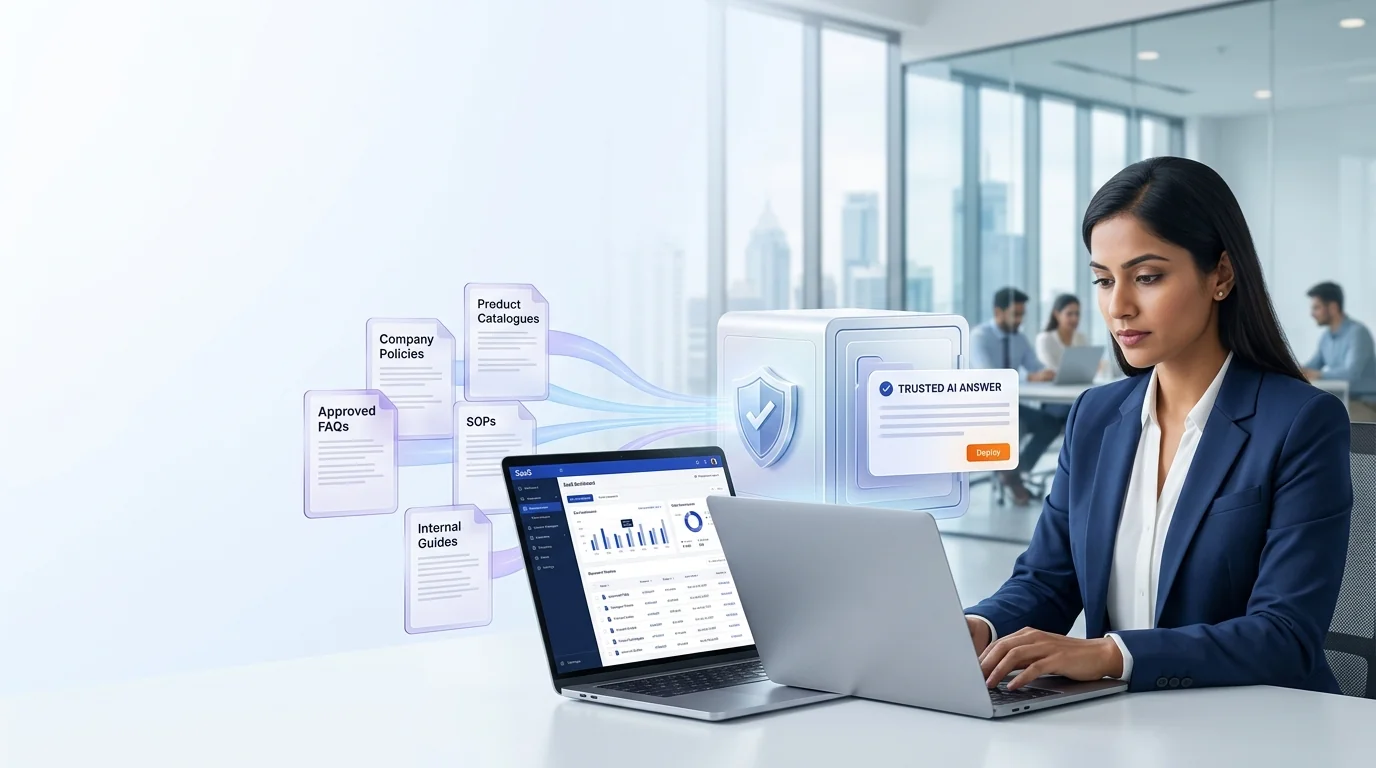
Security, permissions and validation
Integration is not only about making systems talk. It is about controlling what they can do.
We design:
- least-privilege access;
- approved fields and actions;
- validation rules;
- authentication handling;
- sensitive-data boundaries;
- audit logging where needed;
- human approval before material actions;
- timeout, failure and retry behaviour;
- test and production separation;
- ownership and access review.
For sensitive industries, the implementation may need additional compliance, hosting, legal and security review. We identify these requirements early rather than treating them as an afterthought.
Testing, monitoring and documentation
We test normal and non-standard scenarios:
- missing data;
- incorrect input;
- duplicate record;
- API unavailable;
- permission denied;
- customer request for a human;
- failed action;
- incorrect system response;
- validation and retry path.
After launch, we document the workflow and support monitoring so the system remains usable as connected tools change.
From customer input to a useful business action
Every Growlixa AI workflow is designed around clear actions, reliable data movement and human escalation where needed.
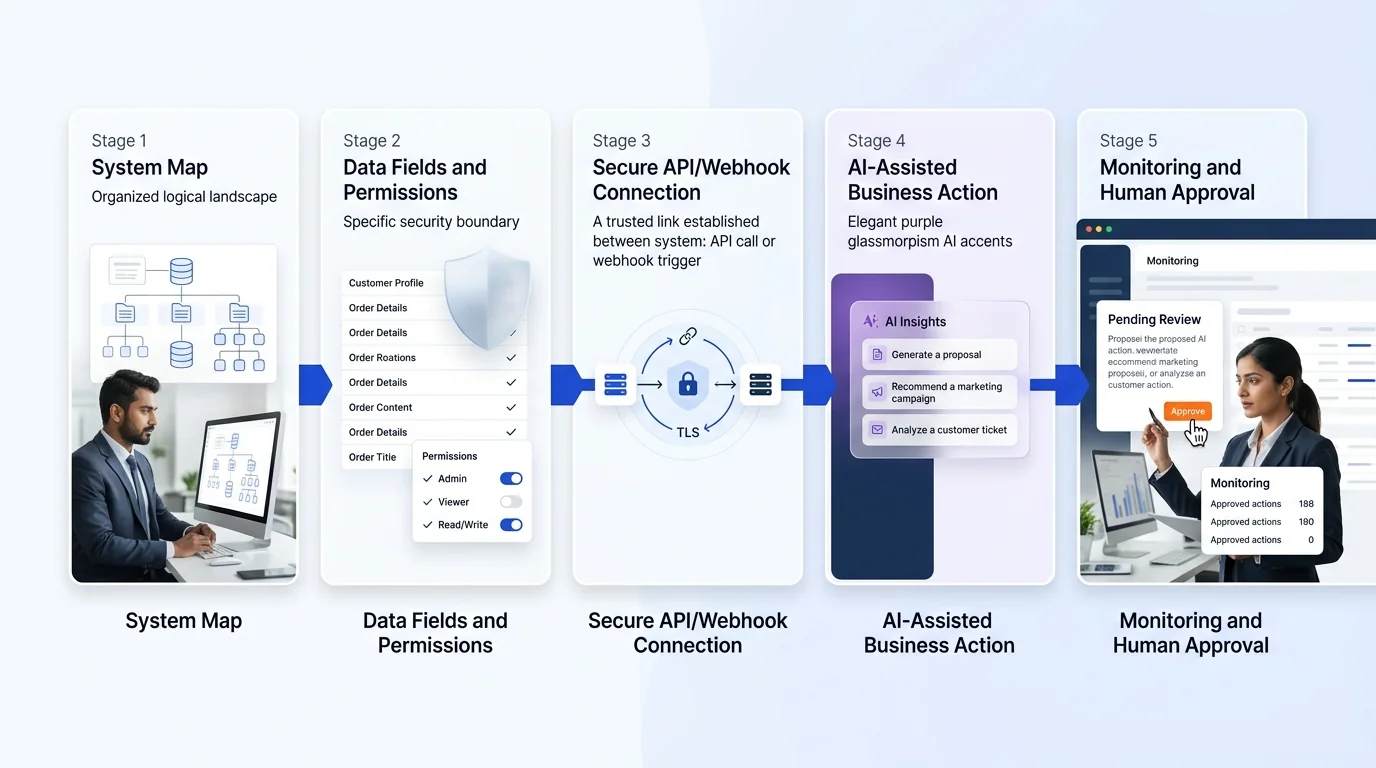
The Growlixa AI integration workflow
Step 01 — Map systems and business actions
Typical timing: Days 1–5
We identify where information lives, what business action needs improvement and which systems must participate.
Deliverable: system landscape map and integration-use-case brief.
Step 02 — Define data, permissions and workflow boundaries
Typical timing: Week 1
We identify the required fields, allowed actions, access controls, validation rules and human approval points.
Deliverable: integration specification and permission model.
Step 03 — Build the connection and action flow
Typical timing: based on scope
We configure APIs, webhooks, automation logic, data mapping, response handling and approved AI actions.
Deliverable: test-ready integration environment.
Step 04 — Test failures as well as successful actions
Typical timing: before launch
We test unavailable systems, incomplete data, duplicates, invalid requests, human handoff and recovery routes.
Deliverable: test log, fallback plan and launch checklist.
Step 05 — Monitor, document and improve
Typical timing: ongoing
We review integration health, output quality, error patterns and new business needs.
Deliverable: integration documentation, monitoring plan and optimisation roadmap.
Common AI integration use cases
| Connected systems | Example business outcome |
|---|---|
| Website form + CRM | Create lead record, assign owner and create response task |
| Chatbot + calendar | Check available slots and create approved appointment |
| WhatsApp + CRM + email | Capture enquiry, update record and notify sales owner |
| Voice assistant + calendar + messaging | Book appointment and send confirmation / reminder |
| Documents + spreadsheet / ERP | Extract approved fields, validate and route for review |
| Support chat + helpdesk | Classify request, create ticket and pass conversation context |
| Sales calls + CRM | Create call summary, update next action and manager visibility |
| Reporting tools + data sources | Produce approved summaries and dashboard insights |
When integration needs human approval
The system should request review when:
- the data is incomplete or inconsistent;
- the action affects a sensitive customer record;
- a payment, refund, quote or pricing commitment is involved;
- the AI confidence is low;
- a regulated or specialist decision is required;
- an integration returns an unexpected response;
- the customer requests a person;
- the action falls outside the approved workflow.
How success is measured
Useful measures may include:
- manual steps removed;
- integration-action completion;
- lead or booking record completeness;
- response and routing time;
- reduced duplicate entry;
- error and exception rate;
- workflow reliability;
- human-review completion;
- team time saved on repetitive coordination;
- customer journey completion;
- data consistency across systems.
We do not promise a fixed time saving or automation percentage before reviewing the current system, integration access and workflow complexity.
Related Growlixa AI solutions
AI Integration & API Development connects with:
- AI Strategy & Automation Audit;
- AI Workflow Automation;
- CRM & Sales Automation;
- AI Chatbot Development;
- WhatsApp AI Automation;
- AI Calling Assistants;
- AI Knowledge Base & RAG Systems;
- AI Document & Data Automation;
- AI Reporting & Business Intelligence;
- Custom AI Web Apps & MVP Development.
Frequently asked questions
What is AI integration?
AI integration connects AI capabilities with the business systems that hold relevant information or perform useful actions, such as CRM, website forms, calendars, messaging, support tools, product data and reporting systems.
Can you integrate AI with our current CRM?
Yes, if the CRM supports the required access or integration route. We review the current CRM, fields, permissions and workflow before defining the implementation.
Can an AI chatbot update CRM or book appointments?
Yes, within approved permissions and workflow rules. The chatbot can trigger CRM creation, lead update, task assignment or calendar action when the systems are connected appropriately.
Do we need APIs to integrate systems?
APIs and webhooks are common integration methods, but the approach depends on the systems involved. We assess available connections, data access and business requirements before recommending an architecture.
Is AI integration secure?
Security depends on permissions, authentication, data boundaries, validation, hosting, monitoring and business policy. We design specific controls for the approved use case rather than claiming that every integration has the same security model.
Can you integrate with WhatsApp, email and calendars?
Yes. These are common integration scenarios for customer enquiry, booking, follow-up and notification workflows. The final design depends on the platform setup and approved business process.
What happens if one connected system fails?
A reliable integration includes error handling, retry rules, alerts, fallback paths and human review. We define these behaviours before launch.
Can Growlixa maintain integrations after launch?
Yes. Growlixa can provide documentation, monitoring, update support and optimisation through AI Monitoring, Training & Optimisation services.
Ready to make your AI systems useful inside your real business workflow?
Growlixa will review your existing tools, the data they hold and the action your team needs to improve. Then we will design an AI integration that creates a useful business outcome—not another disconnected tool.
Primary CTA: Review Your AI Integration Needs → /contact
Microcopy: Connected systems · Controlled actions · Reliable business outcomes