Eyebrow: BUSINESS PROCESS, SYSTEM INTEGRATION & AI WORKFLOWS
AI Workflow Automation That Removes Repetitive Work Without Losing Control
A business rarely loses time because of one large task. It loses time through dozens of small actions repeated every day: copying leads from a form into a CRM, sending the same follow-up message, asking for the same information twice, moving data between spreadsheets, chasing approvals, preparing reports and checking whether someone completed a task.
Growlixa builds AI workflow automation systems that connect these steps into a clearer process. We map what happens today, identify where rules and AI can help, connect the tools your team already uses and create safe handoff points for exceptions that still need a person.
The goal is not to automate everything. It is to remove the repetitive work that slows your team down while preserving the judgement, customer care and accountability that should remain human.
Primary CTA: Request a Workflow Automation Review →
Supporting line: Workflow mapping · System integration · AI decision layer · Human approval · Monitoring
Your team should not be the connection between disconnected tools
A typical business process may look simple on paper. In practice, it often moves through many systems:
When people have to manually move information through every step, delays and errors become normal. A lead is missed. A contact is entered twice. A follow-up is forgotten. A report is prepared late. One employee becomes the only person who understands how a process works.
AI workflow automation creates a dependable route between systems. It can collect, classify, enrich, route, draft, notify, update and report. But it must be designed around real operational conditions: incomplete data, duplicate records, unexpected input, API failures, sensitive information and situations that require human approval.
What is AI workflow automation?
AI workflow automation combines conventional rules-based automation with AI capabilities such as language understanding, data extraction, classification, summarisation and decision support.
Traditional automation is useful when the instruction is fixed:
If a form is submitted, create a CRM record.
If an invoice is approved, notify finance.
If an appointment is booked, send a confirmation.
AI becomes useful when the input is less structured:
Read an enquiry and identify the service required.
Extract useful details from a PDF or email.
Classify a support request by urgency.
Summarise a call before adding it to CRM.
Draft a response for human approval.
Route a lead based on natural-language requirements.
A strong workflow uses the simplest reliable method for each step. It does not force AI into a task that a clear rule can handle more safely and cheaply.
What Growlixa AI workflow automation includes
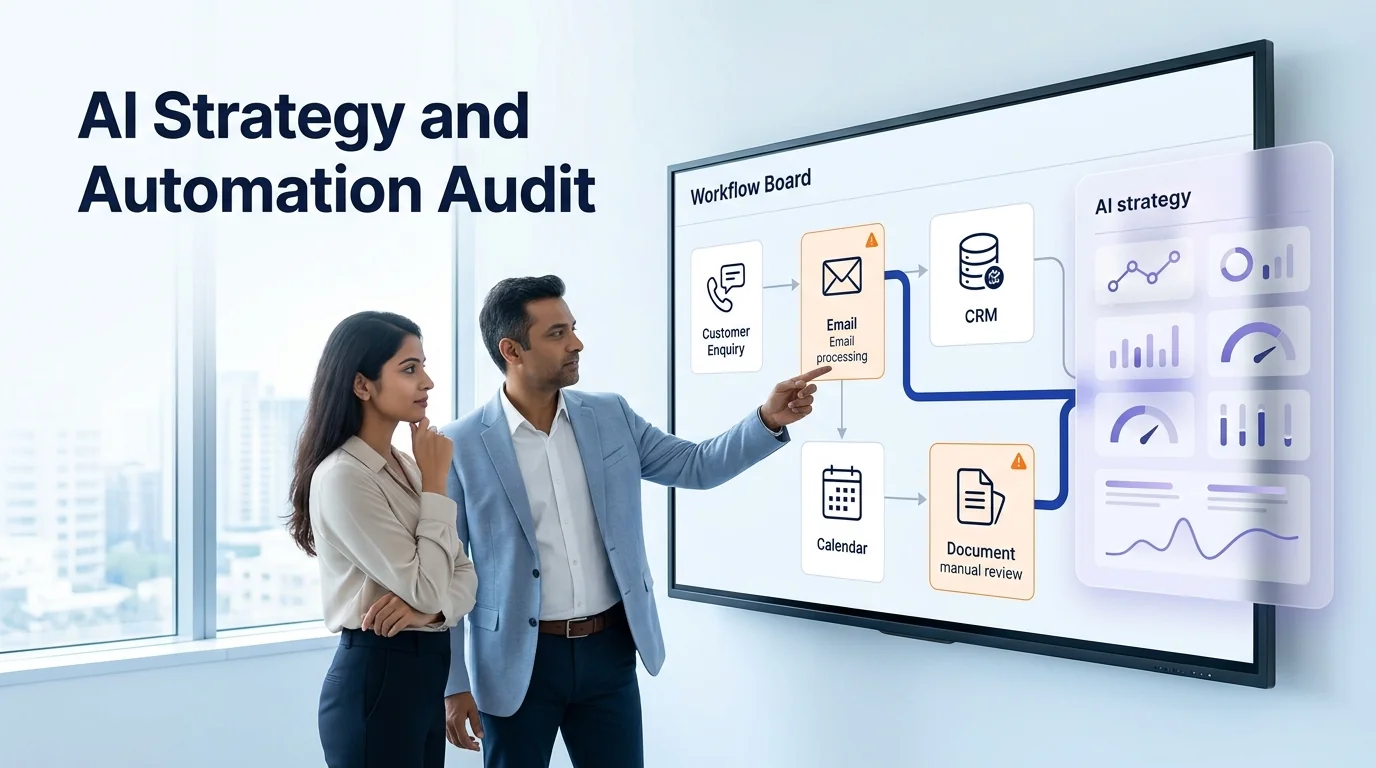
Workflow discovery and current-state mapping
We begin with the real process—not the process people assume is happening. We speak with the team members who receive, move, approve or act on the information.
We map:
- the trigger that starts the workflow;
- people, tools and data involved;
- manual tasks and duplicate steps;
- decision points and exceptions;
- current delays and failure points;
- customer-facing impact;
- ownership at each stage;
- required output and business measure.
You receive: a current-state workflow map showing what happens, who owns it and where automation can create value.
Automation opportunity and priority scoring
We do not automate every process at once. We prioritise work that is frequent, repetitive, measurable and stable enough to benefit from automation.
We score workflows using:
- frequency and time consumed;
- cost of delays or errors;
- business and customer impact;
- clarity of rules;
- data availability;
- integration feasibility;
- security and privacy requirements;
- need for human judgement;
- ease of measuring improvement.
You receive: a prioritised automation backlog with quick wins, phased projects and tasks that should remain human-led.
Workflow architecture and system integration
Once a workflow is selected, we design the route between systems. Depending on the business, this may connect:
- website forms;
- CRM and lead systems;
- WhatsApp Business;
- email inboxes;
- calendars and appointment tools;
- spreadsheets and databases;
- project-management tools;
- helpdesk platforms;
- e-commerce and order systems;
- ERP, inventory or accounting tools;
- dashboards and reporting tools;
- internal APIs and webhooks.
The architecture defines what triggers the workflow, what data is passed, where records are created, what happens when data is missing and who receives exceptions.
AI-assisted classification, extraction and decision support
AI can add value when the workflow involves language, documents or varied customer input.
Examples include:
- reading a web enquiry and identifying service interest;
- extracting name, company, location and requirement from an email;
- categorising support requests by topic or urgency;
- summarising a sales call;
- checking whether a document has required fields;
- drafting a first response from approved knowledge;
- detecting a request that needs human escalation.
AI outputs are not treated as unquestionable facts. We add validation rules, confidence thresholds, approved formats and review queues where the risk requires it.
Human approval and exception handling
A reliable workflow has a path for the non-standard case.
We define:
- when a workflow can continue automatically;
- when it should request missing information;
- when it should alert a team member;
- who receives a low-confidence or sensitive case;
- what happens if an API or integration is unavailable;
- whether an action needs approval before sending, updating or booking;
- how the team can override or correct the result.
This is the difference between a demo and a workflow a business can use every day.
Monitoring, documentation and improvement
A workflow needs ownership after launch. Tools update, business rules change and customers behave differently from the original assumptions.
Our post-launch support can include:
- workflow health checks;
- error and exception review;
- output quality review;
- usage and performance reporting;
- knowledge or prompt updates where relevant;
- documentation and runbooks;
- team training;
- new workflow opportunities after the first automation proves reliable.
Common AI workflow automation use cases
Lead response and routing
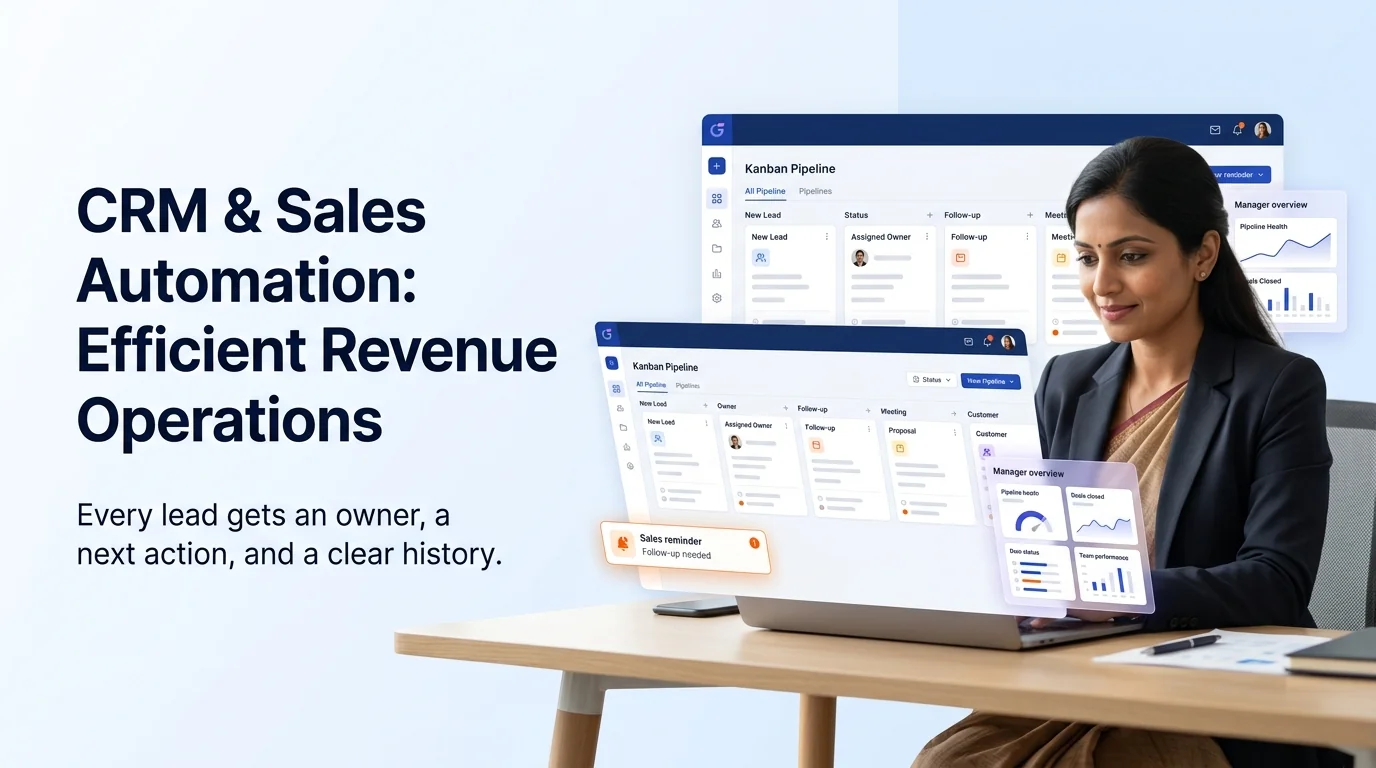
A website form, paid lead, WhatsApp enquiry or phone interaction can automatically create a CRM record, assign an owner, classify the service interest, send acknowledgement, create a follow-up task and alert the right team member.
Sales follow-up
When a prospect has not replied, the system can create a reminder, draft a context-aware follow-up, schedule an approved sequence or alert the owner before the opportunity goes cold.
Customer support triage
Customer requests can be classified, matched to approved knowledge, routed to the correct team or converted into a ticket with the information already collected.
Appointment and booking operations
Booking requests can check availability, capture required details, create calendar events, send confirmations, update CRM and issue reminder messages.
Document and form processing
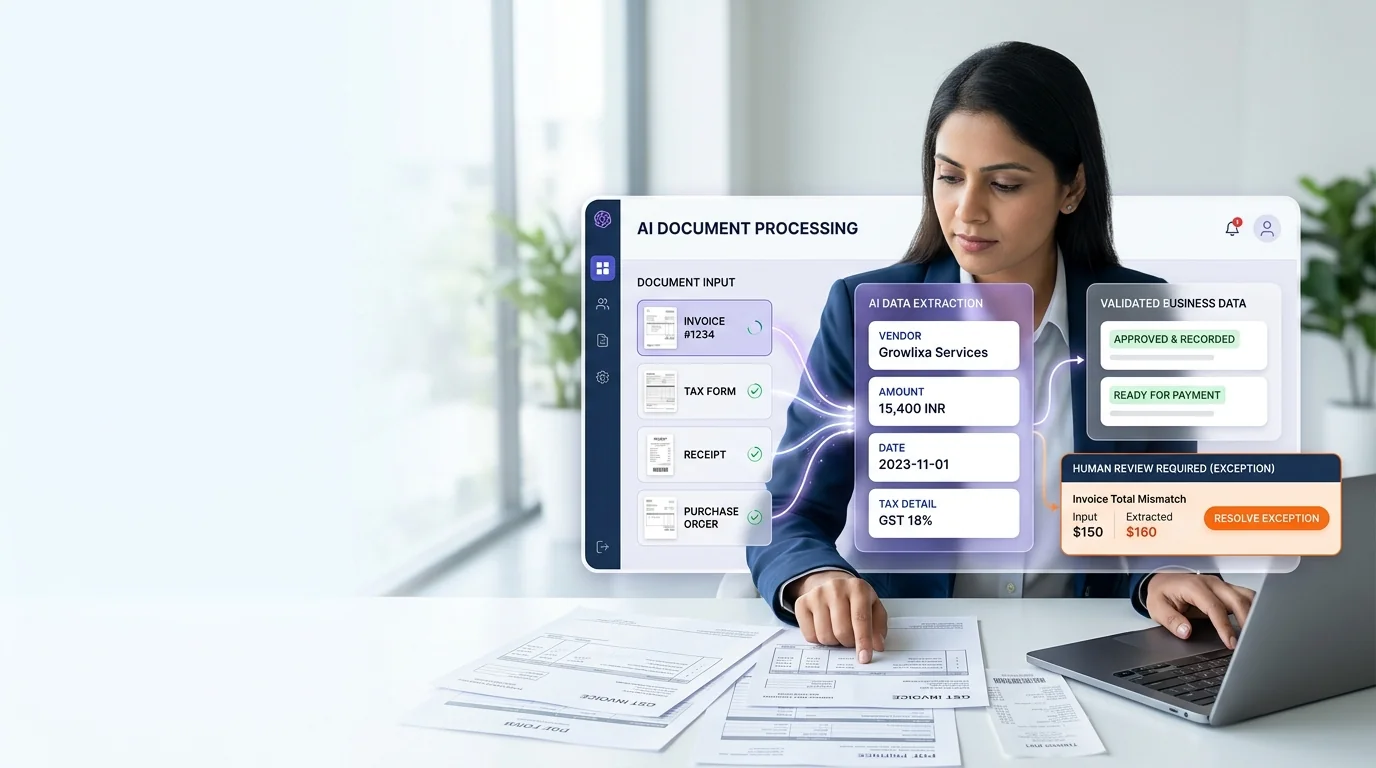
Invoices, forms, PDFs, supplier documents or customer submissions can be classified, read, validated and routed to an appropriate review or system update.
Reporting and recurring operations
Data from sales, marketing, customer support and operations can be collected into scheduled summaries, exception alerts and useful management dashboards.
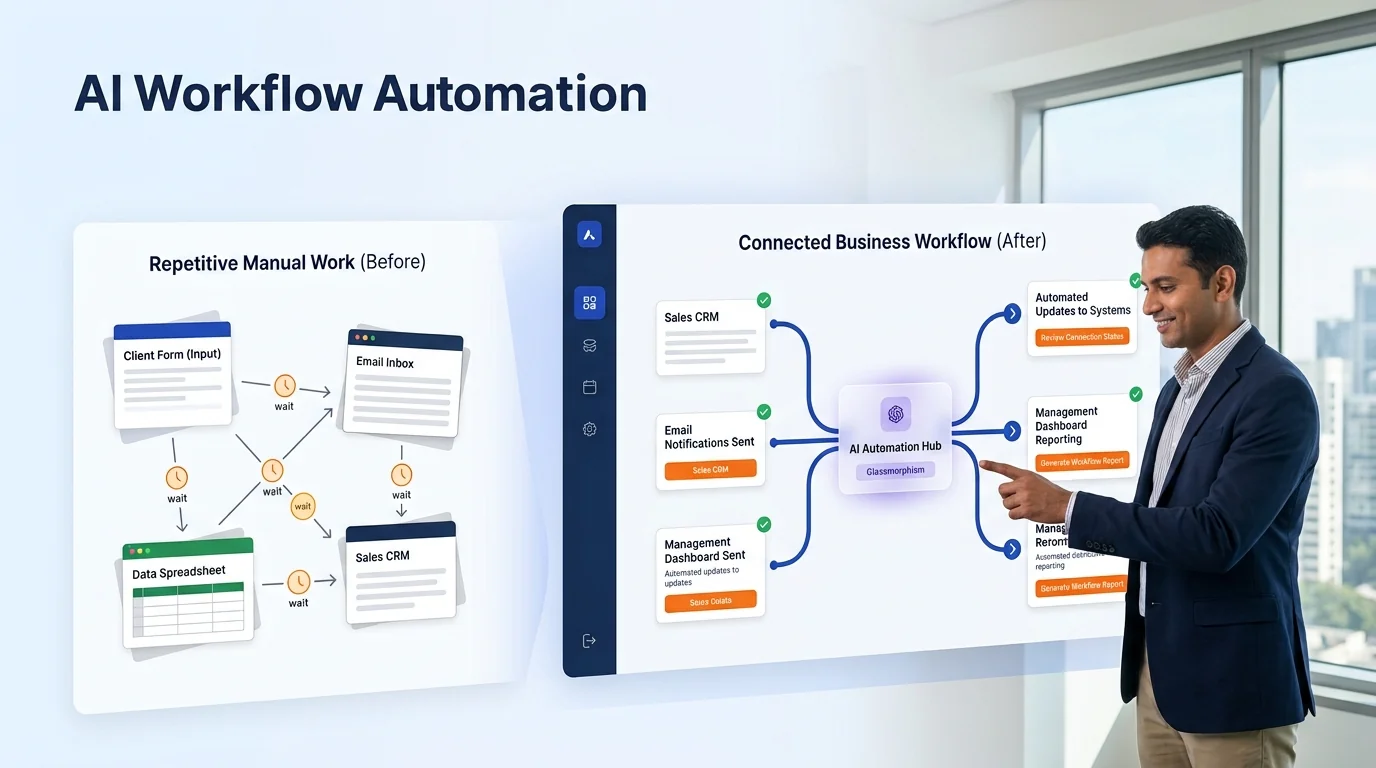
From customer input to a useful business action
Every Growlixa AI workflow is designed around clear actions, reliable data movement and human escalation where needed.
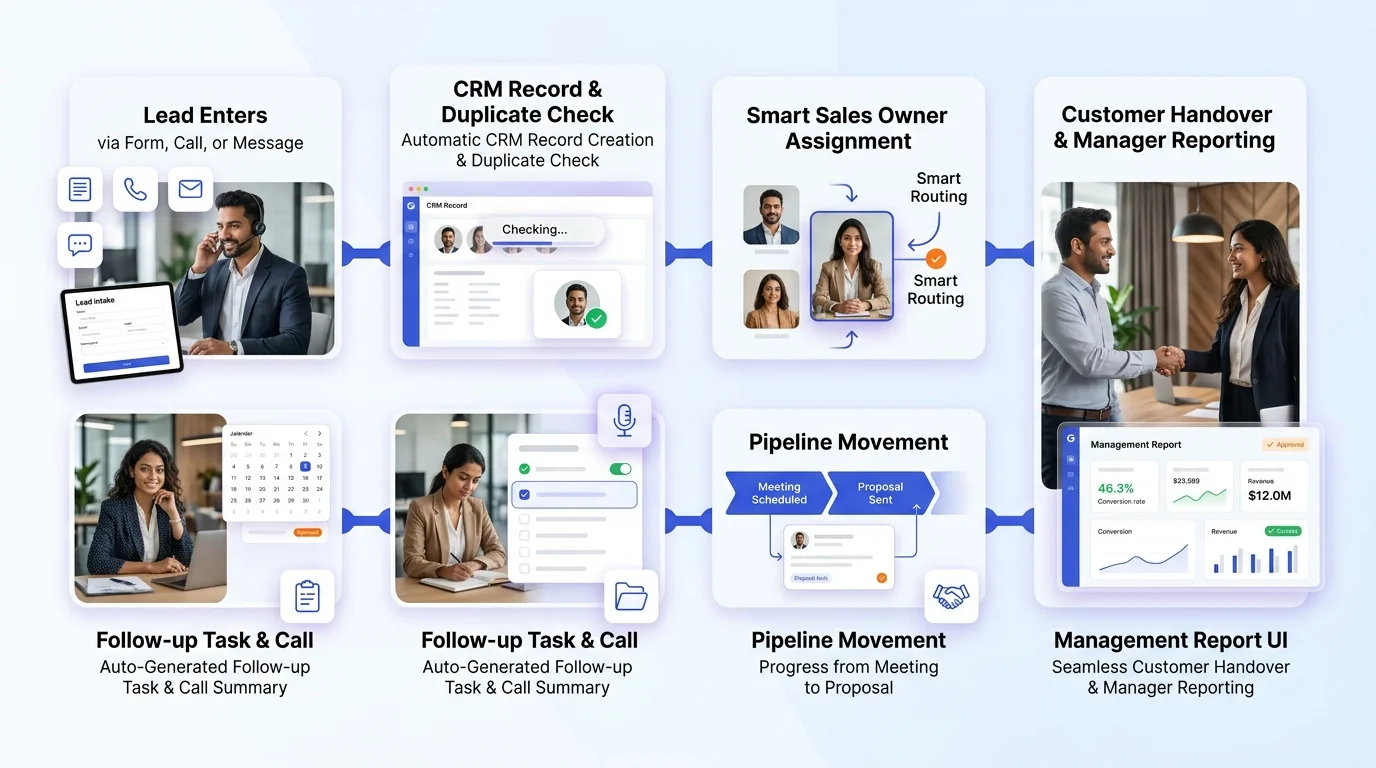
The Growlixa workflow automation delivery method
Step 01 — Map the real process
Typical timing: Days 1–5
We meet the people who use the workflow and document what happens from trigger to outcome. We identify manual bottlenecks, repeated work and customer-facing delays.
Deliverable: current-state workflow map and bottleneck analysis.
Step 02 — Select the highest-value pilot
Typical timing: Week 1
We score candidate workflows by impact, feasibility, data readiness and risk. We choose one focused pilot rather than attempting a large transformation too early.
Deliverable: prioritised automation backlog and pilot decision.
Step 03 — Design the future workflow
Typical timing: Week 1–2
We define triggers, systems, data fields, AI tasks, rules, human approvals, failure routes and success metrics.
Deliverable: future-state workflow architecture and implementation specification.
Step 04 — Build and connect
Typical timing: based on scope
We configure integrations, automation logic, AI-assisted steps, notifications, validation and data updates using the agreed tools and architecture.
Deliverable: working automation in a test environment or approved production setup.
Step 05 — Test exceptions, not only happy paths
Typical timing: before launch
We test incomplete inputs, duplicate leads, unusual language, system failure, approval routes and human handover. A workflow is not ready just because one standard test worked.
Deliverable: test log, exception plan and launch checklist.
Step 06 — Launch, monitor and improve
Typical timing: ongoing
We monitor the workflow, review output quality, train the team and improve the system using real operational feedback.
Deliverable: monitoring plan, documentation and optimisation roadmap.
Before and after: what a well-designed workflow changes
| Before automation | After a well-designed workflow |
|---|---|
| Leads sit in email or WhatsApp until someone notices | Lead details are captured, routed and acknowledged quickly |
| Team copies the same information into multiple tools | Approved data moves through connected systems automatically |
| Follow-up depends on memory | Tasks and reminders are created based on clear business rules |
| Reports require manual spreadsheet work | Relevant data is assembled into scheduled views or summaries |
| Errors are discovered late | Exceptions are flagged for human review early |
| One employee knows the process | Workflow logic and ownership are documented |
Who this service is for
AI Workflow Automation is useful for businesses that have repeated work across multiple systems, including:
- clinics, hospitals and appointment-led businesses;
- hotels, restaurants and hospitality operations;
- manufacturers, exporters and B2B suppliers;
- real-estate teams handling high enquiry volume;
- e-commerce and D2C brands;
- education and coaching institutes;
- professional services and consulting firms;
- logistics and operational teams;
- SaaS and technology companies;
- teams using CRM, spreadsheets, forms, email and WhatsApp in disconnected ways.
It is especially useful when a team says: “We are busy all day, but important things still get missed.”
When AI workflow automation is not the right first step
We may recommend a different solution first when:
- the process is unclear or changes constantly;
- the team has no agreed ownership or approval process;
- the data is incomplete or inaccurate;
- a simple process change would solve the problem;
- a task has too much legal, financial, medical or safety risk for unsupervised automation;
- the workflow volume is too low to justify a build;
- the business cannot maintain the systems it wants to connect.
The right automation is the one that improves a stable process without creating hidden risk.
How success is measured
The measures depend on the workflow, but may include:
- response time reduction;
- manual steps removed;
- lead-routing completion;
- CRM data completeness;
- follow-up completion rate;
- fewer missed enquiries;
- reduced document-processing time;
- support-resolution speed;
- error and exception rate;
- time reclaimed for the team;
- workflow uptime and quality;
- customer booking or enquiry completion.
We agree on the relevant baseline and success measure before launch. We do not use generic savings claims without understanding the process first.
Related Growlixa AI solutions
AI Workflow Automation often connects with:
- AI Strategy & Automation Audit;
- AI Integration & API Development;
- CRM & Sales Automation;
- AI Lead Qualification & Sales Follow-Up;
- AI Document & Data Automation;
- AI Customer Support Automation;
- AI Reporting & Business Intelligence;
- AI Chatbot Development;
- WhatsApp AI Automation;
- AI Monitoring, Training & Optimisation.
Frequently asked questions
What is AI workflow automation?
AI workflow automation connects business systems and automates repeated tasks using a combination of rules, integrations and AI capabilities such as language understanding, classification, extraction and summarisation.
What is the difference between normal automation and AI automation?
Normal automation follows fixed rules. AI automation can interpret varied input, such as customer messages, emails or documents, before triggering the appropriate workflow. The best systems use rules where rules are reliable and AI where judgement or language understanding is useful.
Can you work with the tools we already use?
Yes. We review the existing website, forms, CRM, email, WhatsApp, calendar, spreadsheets, support tools and APIs before defining the workflow. The final integration depends on access and technical capability.
Will AI workflow automation replace our employees?
The purpose is to reduce repetitive work and prevent important tasks from being missed. Team members remain essential for decisions, relationships, exceptions and high-value work. The right implementation gives people more time for work that needs human judgement.
How long does a workflow automation project take?
Timing depends on the number of systems, data quality, integration access, workflow complexity and approval requirements. A focused pilot can move faster than a multi-system operational build. We set practical milestones after discovery.
Can the workflow be reviewed by a human before action is taken?
Yes. We can add approval queues, confidence thresholds, escalation rules and exception alerts. For sensitive actions, the workflow can prepare information but wait for human approval.
How do you handle workflow errors?
We design error handling before launch. This may include retries, alerts, fallback steps, human-review routes, logging and clear ownership. A reliable workflow needs a plan for incomplete data and system failure.
Can Growlixa maintain workflows after launch?
Yes. Growlixa can provide monitoring, documentation, team training, updates and optimisation through AI Monitoring, Training & Optimisation services.
Ready to remove the manual work that slows your team down?
Start with one workflow that matters. Growlixa will review the way your systems, people and customer requests move today, then recommend the most practical automation opportunity to build first.
Primary CTA: Request a Workflow Automation Review → /contact
Microcopy: Connected systems · Human control · Reliable operational improvement